 LearnDesk
Homeschool planner
Plan once. Let your homeschool change.
LearnDesk turns your curriculum into an ordered plan, shows each child what comes next, and moves the work forward when a sick day gets in the way. Attendance, hours and grades build themselves from what you teach.
The button opens Etsy, where you pay. No account. Works offline on your phone, tablet and computer.
The planner that doesn't fall apart when your week does
Your curriculum remembers where you are; the calendar only predicts when you'll get there.
A curriculum in minutes
Generate 120 lessons from a title and a count, paste a list, or import a spreadsheet. Pick weekdays, a loop or a weekly target.
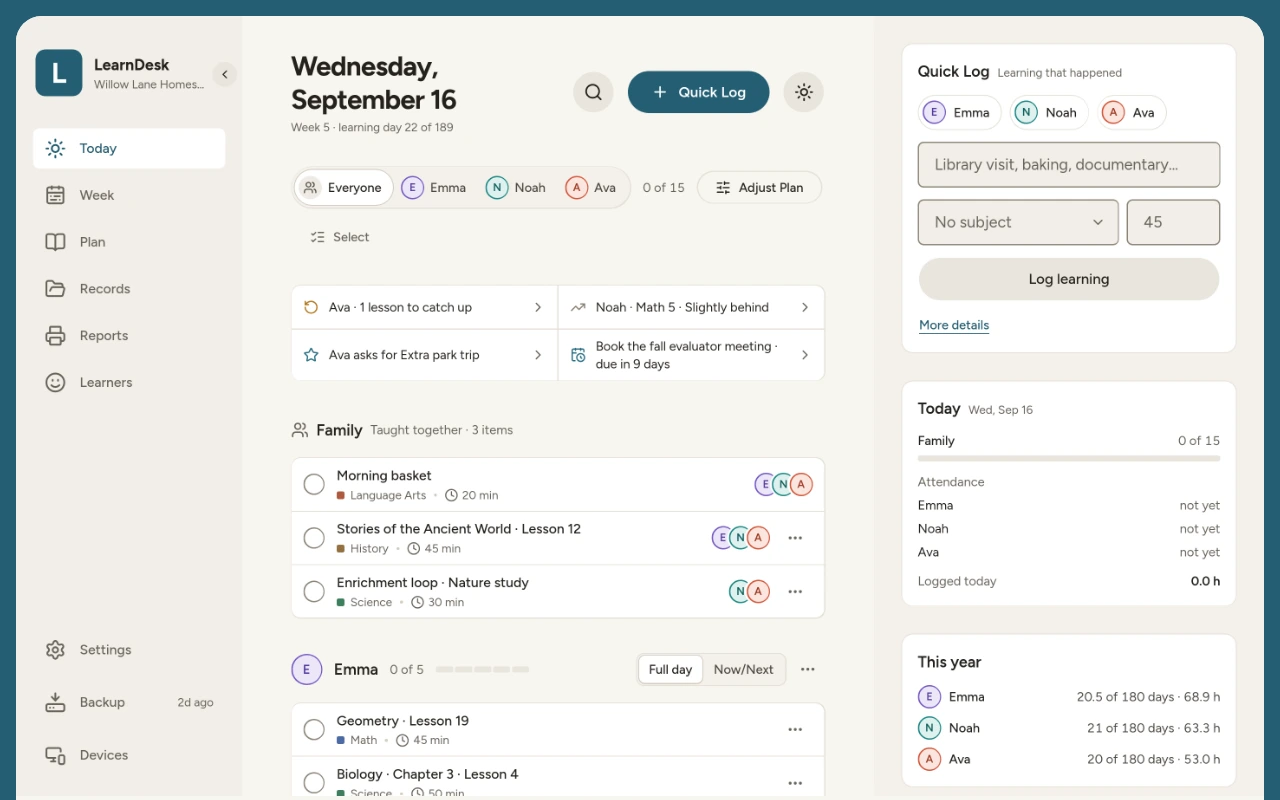
Know what comes next
Today shows shared lessons and each child's work. One tap marks a lesson done.
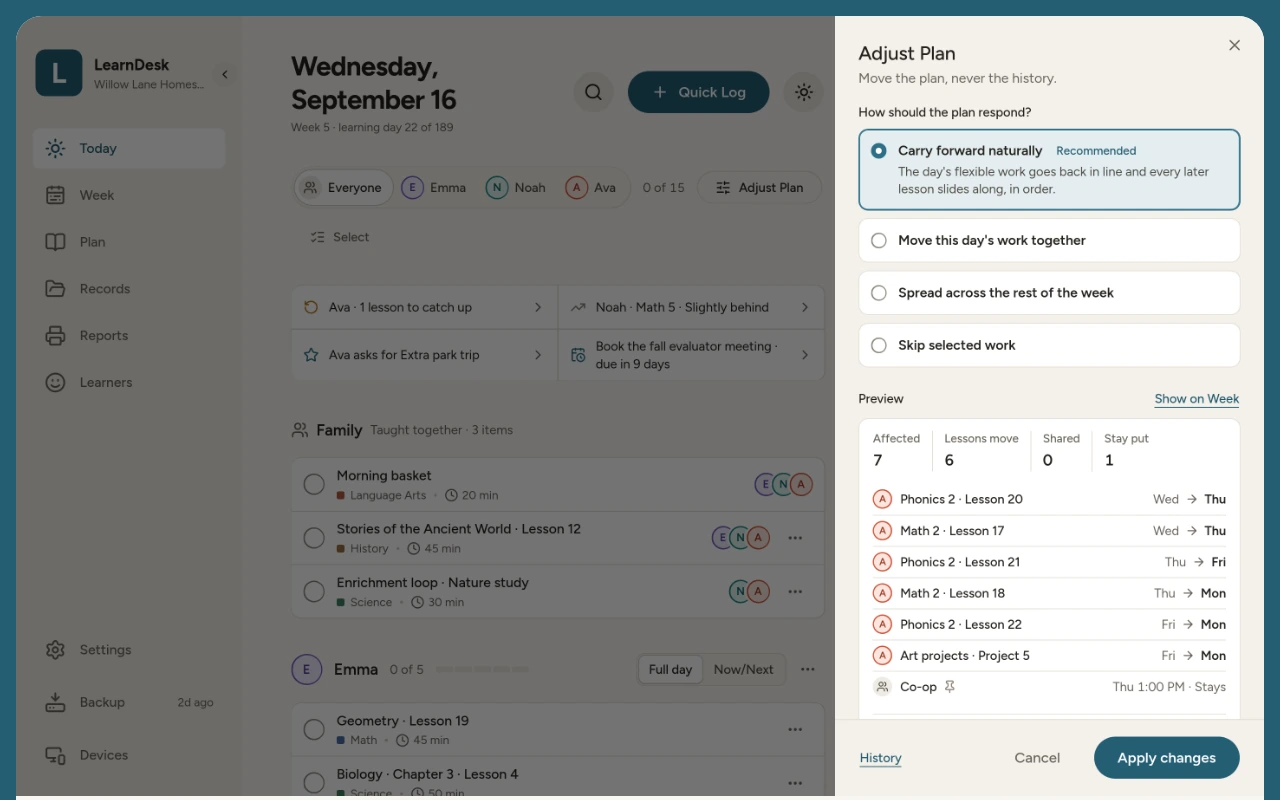
A lost day, repaired
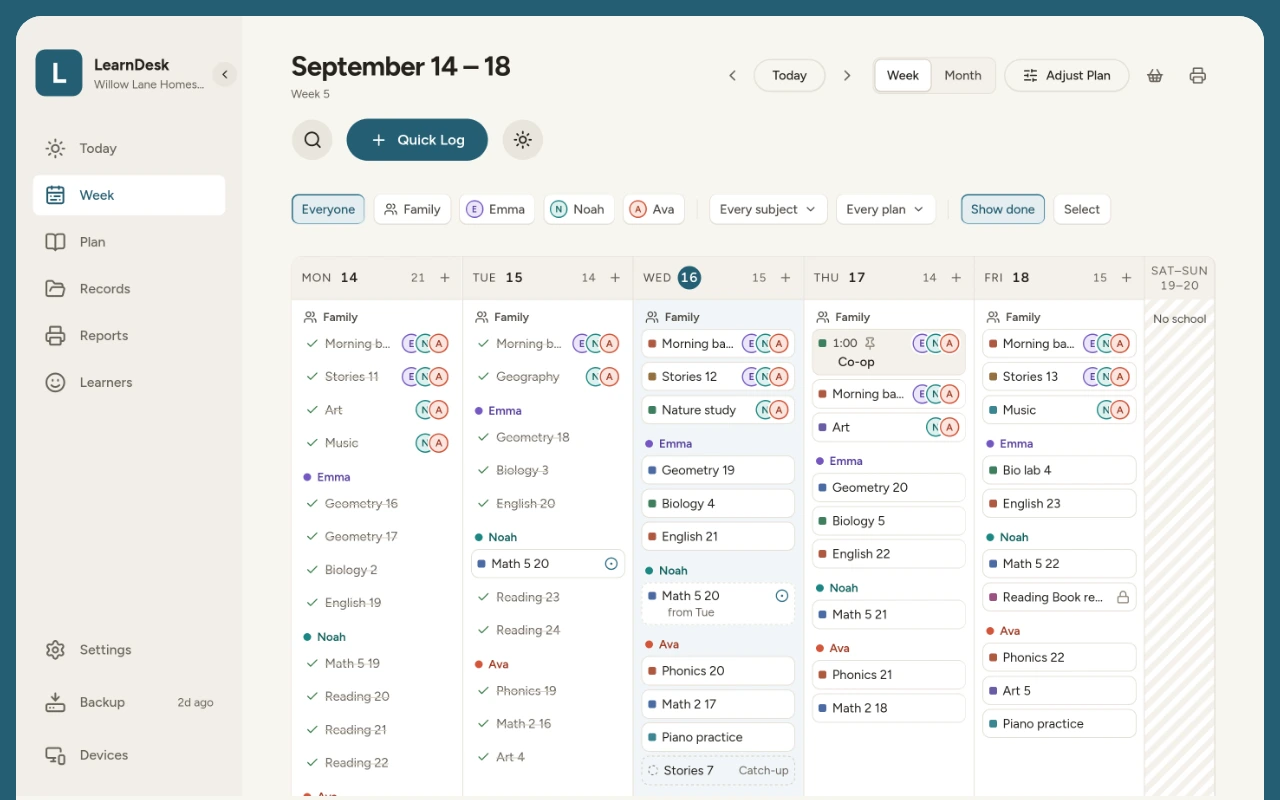
Adjust Plan previews what moves, keeps co-op days in place, and Undo puts it back. Nothing turns overdue.
Every child, one view
Teach a lesson together once and record each child's own result, while each child keeps their own pace in their own subjects.
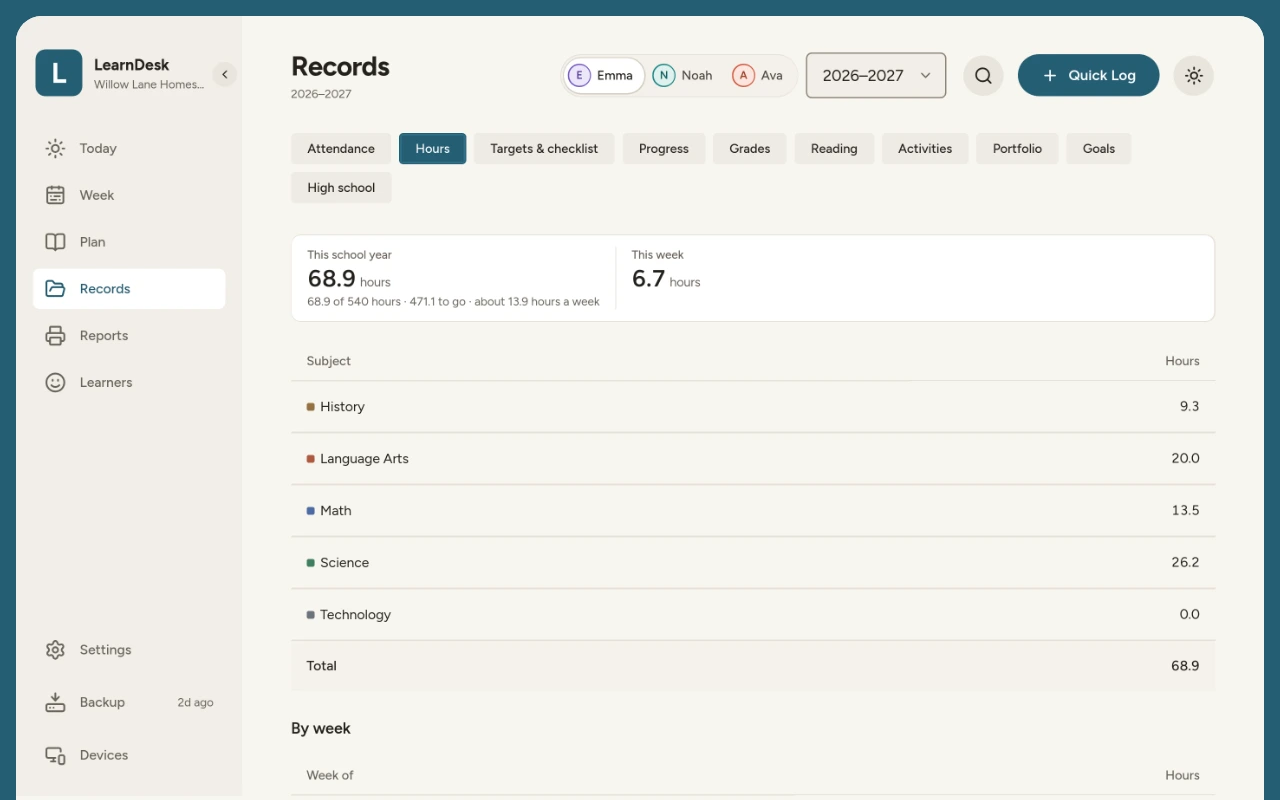
Records from your teaching
Finished lessons and Quick Log entries fill in attendance, hours, grades, reading and a portfolio.
Through high school
Courses, credits, GPA and a transcript. Print any record on Letter or A4, or save it as a PDF.
See it before you buy
The free demo opens a sample family of three children, partway through the school year. Nothing is saved, so try a sick day.
Private, offline, yours
Stays on your device
Your data is kept in your browser on your device, with no account to create. If you link devices, it is encrypted on your device before it syncs.
Works without internet
Install LearnDesk on your phone, tablet or computer and it opens like any app, with or without a connection.
Backups you control
Save everything to one file, photos and PDFs included, keep it in your own cloud drive, and restore it on a new device.
How it works
- Buy LearnDesk on EtsyA one-time digital download. No subscription.
- Open START HEREIts button opens LearnDesk with your private link. Keep the PDF.
- Install itAdd it to your Home Screen or install it from your browser, then set up your school year and children in a few minutes.
Questions
Is there a subscription?
No. LearnDesk is a one-time purchase on Etsy. There is no account and no monthly fee.
Which devices does it work on?
iPhone, iPad, Android phones and tablets, and Windows, Mac and ChromeOS computers, in the browser or installed like an app. On iPhone and iPad, install it before you enter anything: the Home Screen app keeps its own storage.
Where is my data kept?
On your device. There is no account. Back it up to a file whenever you like and restore it on another device.
Does it work without internet?
Yes. Once opened, LearnDesk works offline.
Can I use it on more than one device?
Yes. Link your phone, tablet and computer with a six-digit code and they stay in step. Your data is encrypted on your device before it leaves it, so the server can't read it. Prefer one device? Move to a new one any time with Backup and Restore.
Does it know my state's homeschool rules?
It offers starting points for each state's day and hour targets, which you confirm. They are not legal advice.
Can my children use it on their own?
Yes. Student Mode shows a child only their own work; a family PIN leads back. It is a focused view, not a lock.
Plan this school year once, and let it bend
The button opens Etsy, where you pay. You get START HERE, which opens LearnDesk with your private link.